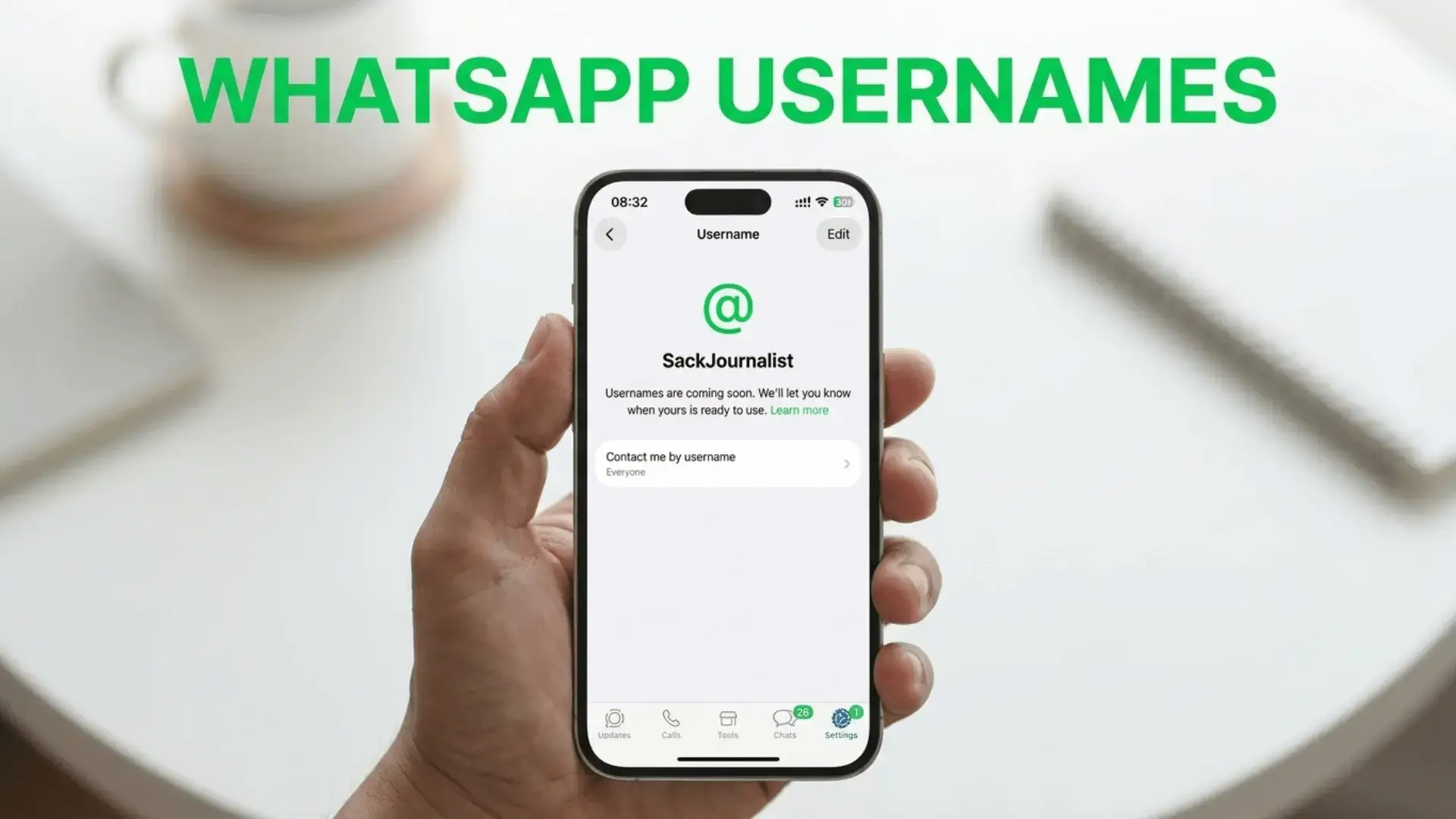
WhatsApp usernames are finally here, and they quietly rewrite one of the app’s oldest rules. For years you had to hand over your phone number before anyone could message you. Now you can share a simple handle instead, and Meta says reservations opened the week of June 29, 2026 for all three billion users.
The short version: WhatsApp usernames let people reach you without ever seeing your phone number. You cannot fully use them yet, but you can reserve your name today so nobody else grabs it first. It is optional, free, and takes about a minute.
What are WhatsApp usernames?
A WhatsApp username is a unique handle, something like @yourname, that stands in for your phone number. Once the feature is fully live, people will be able to start a chat with you using only that handle. Your real number stays hidden unless you choose to share it.
This is the same privacy idea you already know from Instagram, Telegram, and Signal. What makes it a big deal is scale. WhatsApp has more than three billion accounts, so this is one of the largest privacy shifts the app has ever made.
Why WhatsApp usernames matter
Your phone number is sensitive. Hand it to the wrong person and you can end up with spam calls, scam texts, or worse. WhatsApp usernames cut that risk because you can connect with new people, sellers, or online contacts without exposing your number at all.
The BBC reported that the rollout will reach the platform’s three billion account holders over the coming months, and that using a username will never be compulsory. You can add one, change it, or remove it whenever you like. If someone bothers you, the usual block and report tools still work.
How to reserve your WhatsApp username
Usernames are not switched on for everyone yet, but reservations are open so you can lock in your preferred handle early. Here is how to do it in four quick steps.
- Update WhatsApp to the latest version from the App Store or Google Play. The option only appears on current builds.
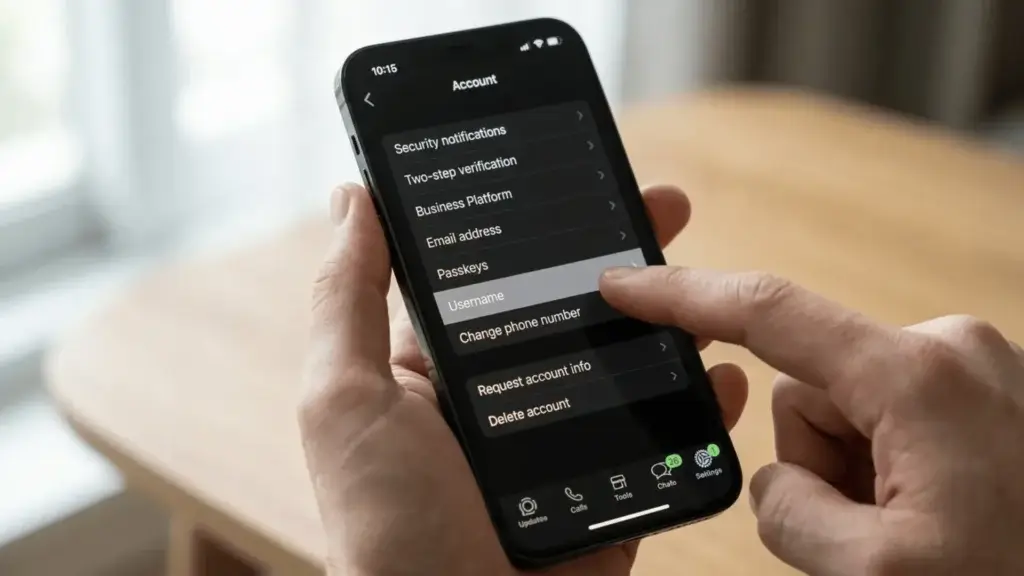
- Open Settings, then tap Account, then Username (you can also reach it from your Profile in Settings).
- Type the username you want using 3 to 35 characters. WhatsApp checks availability instantly and tells you if it is free.
- Tap Save to reserve it. The name is then held for you to use once the feature fully launches later this year.
Reserving only works on your primary mobile phone right now. It is not yet available on WhatsApp Web or Desktop.
WhatsApp username rules at a glance
| Rule | Detail |
|---|---|
| Length | 3 to 35 characters |
| Allowed characters | Letters, numbers, periods, and underscores |
| Required? | No, usernames are completely optional |
| Can you change it? | Yes, you can change or remove it anytime |
| Where to set it | Settings, then Account, then Username |
| Reserved names | Held for top celebrities, VIPs, and organizations |
What is the WhatsApp username key?
WhatsApp is adding an extra layer called a username key. This is a code that another person needs to know before they can message you using your username. Think of it as a lock on top of your handle, so a stranger cannot text you just because they guessed your name. It is a smart touch that keeps the privacy benefit from becoming a spam magnet.
Can businesses and creators claim a name?
Yes. Meta knows that creators, small businesses, and organizations want a consistent presence everywhere. So WhatsApp is letting them claim their existing Instagram or Facebook username on WhatsApp too. That keeps branding tidy across all of Meta’s apps. Reservations are also being held for well known public figures and companies so impersonators cannot scoop up famous names.
When do WhatsApp usernames fully launch?
Reservations opened globally the week of June 29, 2026, but the full feature arrives in phases over the following months, with wider activation expected from around September 2026. You will get a notification once usernames go live in your country. Until then, reserving early is the only way to guarantee the handle you want.
Frequently asked questions
Are WhatsApp usernames free?
Do WhatsApp usernames replace my phone number?
Can I reserve a WhatsApp username on my laptop?
What characters can I use in a WhatsApp username?
Final thoughts
WhatsApp usernames are a genuinely useful upgrade for anyone who values privacy, and grabbing your handle early costs you nothing but a minute. Popular names will go fast across three billion accounts, so it is worth reserving yours today even if you are not ready to use it.
Want more on staying private and getting more from your phone? See our iPhone vs Android comparison and our guide to the best free AI apps for Android.
For the official details, read WhatsApp’s own announcement, the BBC News report, and TechCrunch’s coverage.