You are on an important call and the other person sounds like they are talking through a thick pillow. Or your favorite song comes out thin and crackly, and you find yourself pressing the phone hard against your ear just to hear anything. A bad speaker is one of the most annoying phone problems out there, and the worst part is that it always seems to happen at the worst possible time.
Here is the good news. Most of the time you do not need a repair shop, and you do not need to spend a single dollar. In this guide I will walk you through exactly how to fix phone speaker issues yourself, step by step, starting with the quick stuff and moving to the deeper fixes only if you need them. I have tried every one of these on real phones, so you are getting what actually works, not a list of filler.
Let’s get your sound back.
Table of Contents
First, what does a bad phone speaker actually sound like?
Before you start fixing, it helps to know what you are dealing with. Speaker problems usually fall into one of a few buckets, and each points to a different cause.
| What you hear | Likely cause |
|---|---|
| No sound at all | Software glitch, Bluetooth stuck, or a dead speaker |
| Muffled or quiet sound | Dust or lint in the grille, or water inside |
| Crackly or distorted sound | Blown speaker, water damage, or a bad app |
| Sound only through headphones | Phone thinks headphones are still plugged in |
Keep your symptom in mind as you go. It will help you jump to the fix that matters most for you.
A 30-second test to find the problem
Open your camera app and record a short voice memo, or play a song on full volume. Now cup your hand behind the speaker. If the sound suddenly gets louder or clearer, the speaker itself is fine and something is blocking or muffling it. If nothing changes at all, the issue is more likely software or a hardware fault inside. This tiny test saves you a lot of guesswork.
How to fix phone speaker problems, step by step
Work through these in order. Nine times out of ten, one of the first few will solve it.
1. Restart your phone
It sounds too simple, but a restart clears the temporary glitches that freeze audio drivers. Hold the power button, restart fully, then test your sound again. This single step fixes a surprising number of “dead” speakers, so never skip it.
2. Turn the volume all the way up (and check the right slider)
Phones have separate volume levels for calls, media, ringtones, and alarms. You might have media volume maxed out while your ringer is on mute. Press the volume up button, then tap the small settings or arrow icon next to the slider to see every channel. Make sure media and ringer are both up.
3. Check silent mode and Do Not Disturb
A physical mute switch or an accidental Do Not Disturb toggle can silence your phone completely. On iPhone, check the ring/silent switch on the side and the Focus settings. On Android, pull down the quick settings panel and make sure Do Not Disturb is off. This is the most common “my speaker is broken” false alarm.
4. Disconnect Bluetooth
If your phone is quietly connected to earbuds, a car system, or a speaker in another room, all your audio is going there instead of your phone. Turn Bluetooth off entirely and test again. You would be amazed how often the “broken” speaker was just sending music to a forgotten set of earbuds in a drawer.
5. Clean the speaker grille
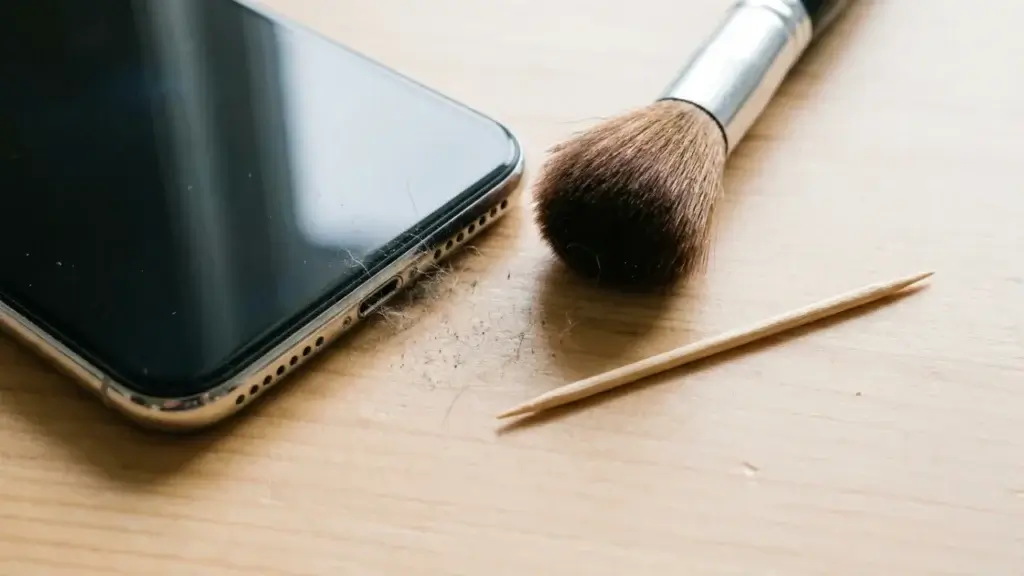
This is the big one for muffled and quiet sound. Over months, your speaker grille fills with pocket lint, dust, and skin oil. Learning how to fix phone speaker sound often comes down to a proper cleaning.
- Use a soft, dry toothbrush or a clean makeup brush and gently sweep across the grille.
- For stubborn gunk, gently loosen it with a wooden or plastic toothpick. Never use a metal pin, which can puncture the speaker mesh.
- A small burst from a can of compressed air held a few inches away can help. Do not blow with your mouth, since that pushes moisture in.
Go slow and be gentle. The mesh is delicate, and the goal is to lift debris out, not push it deeper.
6. Get water out of the speaker
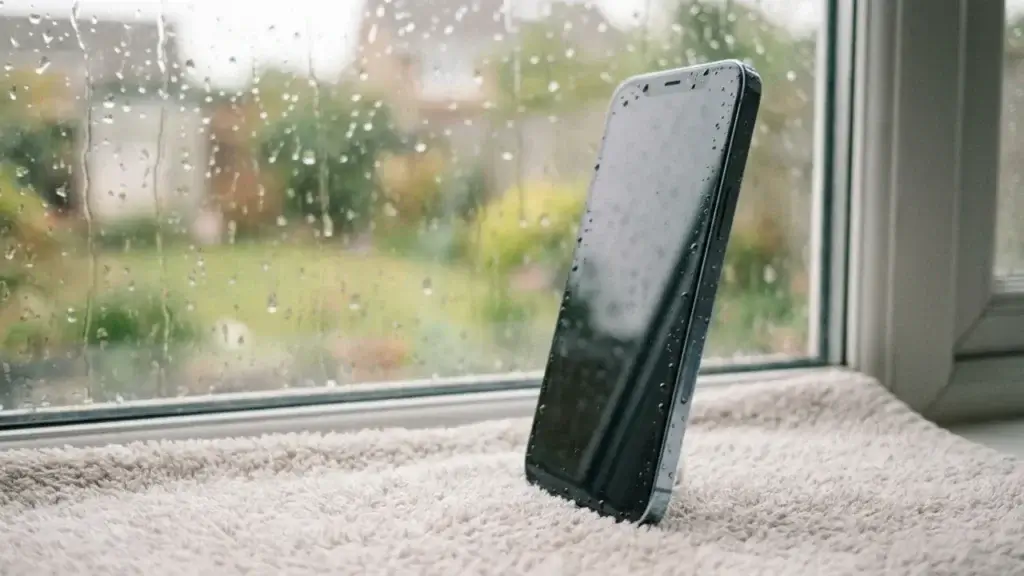
If your sound went muffled after a rainy walk or a splash, there may be water trapped inside. First, wipe the phone dry and stand it upright. Then you can play a dedicated “water eject” sound that vibrates droplets out. Apple Watch has this built in, and Android users can install a speaker-cleaner app or play a 165 Hz tone. Let it run a few times. Do not put your phone in rice, since that old trick does little and rice dust can get into the ports.
7. Test in Safe Mode to catch a bad app
Sometimes a single misbehaving app hijacks or breaks your audio. On Android, hold the power button, then press and hold the restart option to boot into Safe Mode, which loads only the built-in apps. If the speaker works fine in Safe Mode, an app you installed is the culprit. Restart normally and uninstall recent apps one by one until the sound returns.
8. Update your software
Audio bugs are common after big updates, and phone makers push fixes fast. Go to your settings, check for a system update, and install anything waiting. While you are there, update your apps too. A quiet, half-working speaker is sometimes just a software bug that a patch already solved.
9. Factory reset as a last resort
If nothing above works and you are convinced it is software, a factory reset wipes the phone back to a clean state. Back up your photos and files first, because this erases everything. Only do this after you have ruled out the simple fixes, since it is a big step for a small chance of success.
A special warning about water damage
Water is the number one silent killer of phone speakers. Even a phone rated water resistant loses that protection over time as seals age. If your speaker started crackling or cut out right after contact with water, act fast. Dry the outside, eject the water with a tone, and avoid charging until the port is completely dry. If the sound stays distorted for more than a day, the internal speaker may be corroding, and that needs a professional.
When to stop and get it repaired
Be honest with yourself about when do-it-yourself ends. Book a repair if:
- There is zero sound even in Safe Mode and after a reset.
- The speaker crackles constantly, which points to a blown driver.
- The phone took a hard drop or a deep water dunk before the problem started.
A speaker replacement usually runs somewhere between 60 and 130 dollars depending on your model, which is far cheaper than a new phone. If your device is older and struggling in other ways too, it might be time to look at an upgrade instead. Our guide to the best Android phones under 200 dollars and our refurbished vs new phone breakdown can help you decide.
How to protect your phone speaker going forward
A few simple habits keep your sound crisp for years:
- Keep the phone out of dusty pockets, or use a case that shields the grilles.
- Wipe the speaker area gently with a dry cloth once a week.
- Keep drinks and pools at a safe distance, even with a water resistant phone.
- Avoid blasting volume at 100 percent for hours, which slowly wears the speaker out.
FAQ
- Why is my phone speaker suddenly so quiet?
- The most common reason is a clogged grille full of lint and dust. Clean it gently with a soft brush, and check that media volume is up and Bluetooth is off.
- Can I fix a phone speaker with water damage myself?
- Sometimes. Dry the phone, play a water eject tone, and give it a day. If the sound is still crackly or dead afterward, the internal parts may be corroded and you will need a repair.
- Does the rice trick really work for phone speakers?
- Not really. Rice absorbs very little moisture and the dust can clog your ports. Standing the phone upright and using a water eject tone works far better.
- How much does it cost to replace a phone speaker?
- Most repairs land between 60 and 130 dollars depending on the model and shop. Compare that to the price of a new phone before deciding.
Final thoughts
Learning how to fix phone speaker problems is mostly about patience and starting simple. A restart, a volume check, and a gentle clean solve the vast majority of cases, all for free. Save the reset and the repair shop for true hardware failures. Work through this list from the top and there is a very good chance your sound is already back.
Want more quick wins? Read our guides on how to speed up your Android phone and how to save mobile data on Android. For official help, see Apple Support and Google’s Pixel help.